Parental controls for YouTube

YouTube Parental Controls, Without the Chaos

Real parental controls for YouTube: give your kids the videos they love, with the supervision they need. All the fun, only the videos you approve.

14 day free trial • No charge until your trial ends

Works on any device with a browser
PhoneTabletLaptopTV browser
100% Parent-Approved Library0 Auto-Play Surprises2 min Setup Time14 days Free Trial

Built by Parents, for Parents

No autoplay rabbit holes • No surprise content • Just safe, supervised YouTube

Parent-Approved Only

Every single video is personally approved by you before your kids can watch

Zero Ads or Comments

No advertisements, no comment sections, no inappropriate content surprises

Smart Time Limits

Automatic time controls that actually work - no negotiations needed

AI watches videos for you

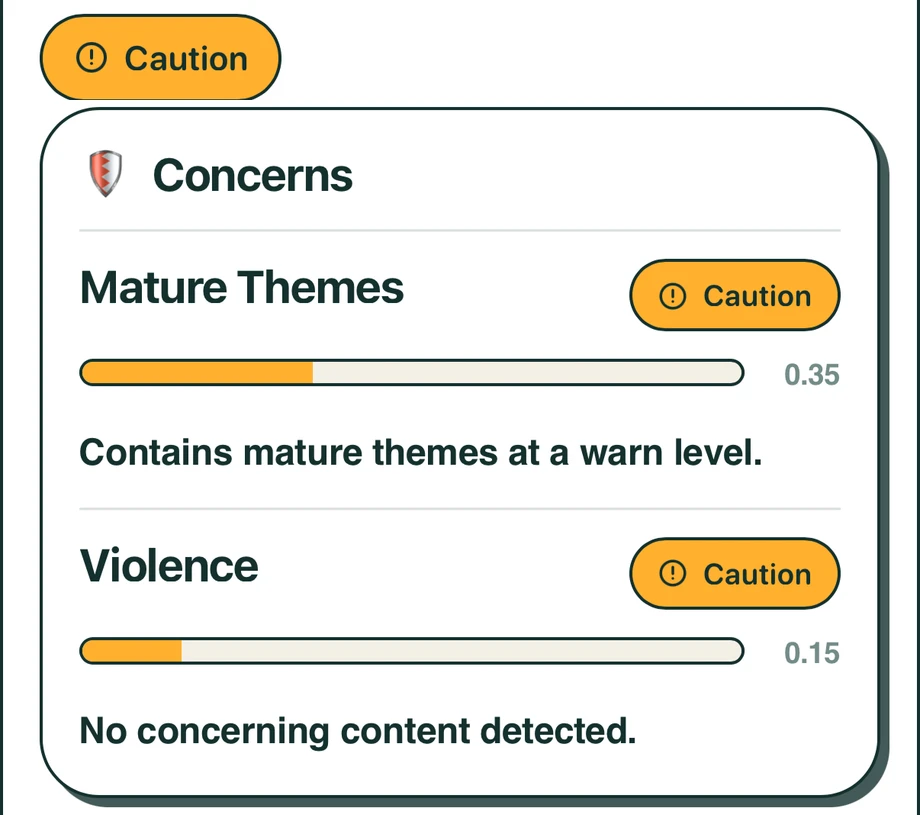
We read the transcript of every video and check it against 21 things parents told us they didn’t want their kids seeing: gambling mechanics, parasocial pull, hidden ads, cruelty played for laughs. Most of it never trips YouTube’s filters, because you have to listen to catch it.

27%

of YouTube videos watched by kids 8 and under are made for older audiences.

Common Sense Media & Michigan Medicine, 2020

No algorithm

No feed, no recommendation rail, no autoplay. Inside Watchly there’s nowhere else to go — just the library you built.

Zero ads

No pre-roll, no mid-roll, no banners, no sponsored anything. The video you approved plays — and nothing else.

Designed for parent’s sanity and child’s safety

Part of that: we never sell or rent your data, or your children’s. It’s in our privacy policy in capital letters.

Meet Watchly

Supervised YouTube That Actually Works

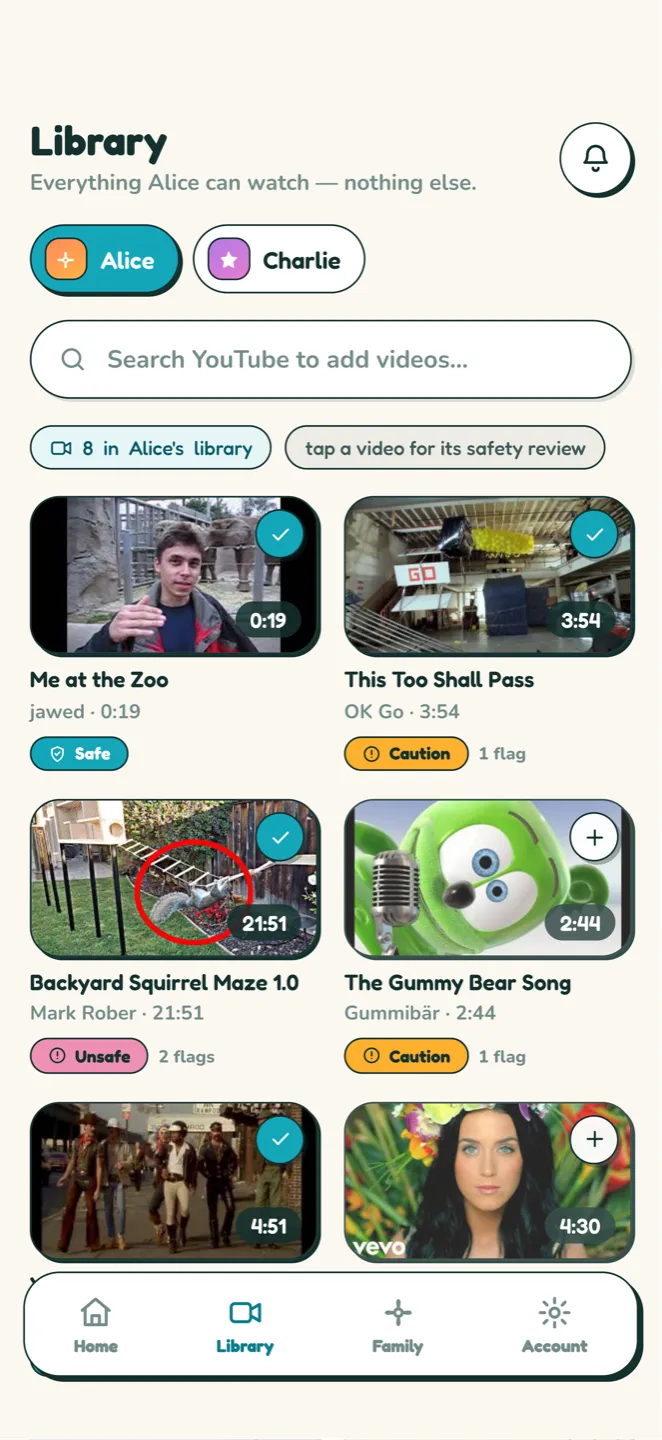
  • 1You build the library. Hand-pick videos or import entire playlists, and approve content before your kids can watch it.
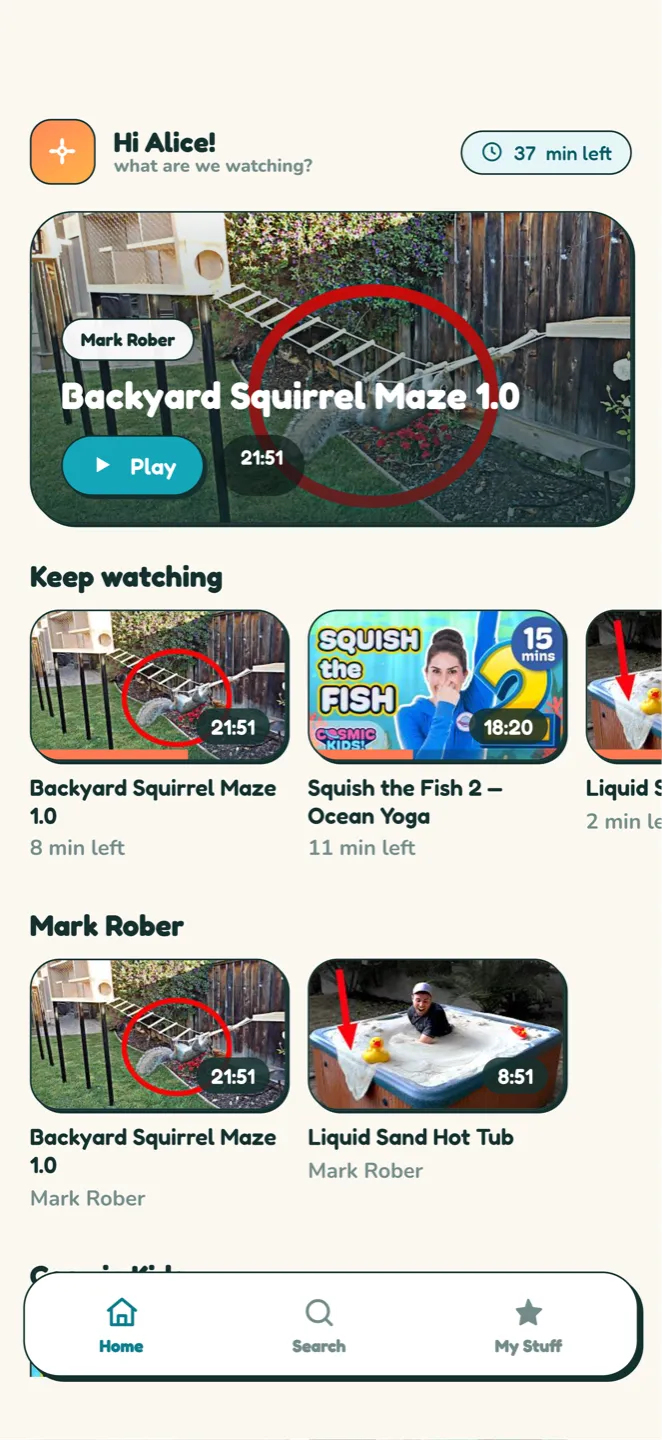
  • 2They get their own space. Kids enjoy a YouTube-like interface they already know and love — every video parent-approved and safe.
  • 3You set the rules once. Automatic time controls that actually work — no negotiations needed.

Set up in 2 minutes. Works on all devices. Kids love it. Parents trust it.

Start Free Trial
AI Safety Review

Every Video Rated Before They Watch

Even creators you trust post things you would not approve of. Subtle objectification, harassment, bullying: those are three of the 21 themes the Watchly AI checks every video for.

  • Safe, Caution or Unsafe on every video
  • 21 named themes, checked one by one
  • Read from what is actually said in the video
  • You still decide what goes in the library
See all 21 themes
What Kids Can't See

No Comments. No Ads. No Algorithm.

No comments section. No algorithm. No autoplay rabbit holes. Just safe content that you've approved.

  • Comments completely removed
  • Parent-approved content only
  • No algorithm manipulation
  • Time limits that work
Parental Controls

Limits You Set Once

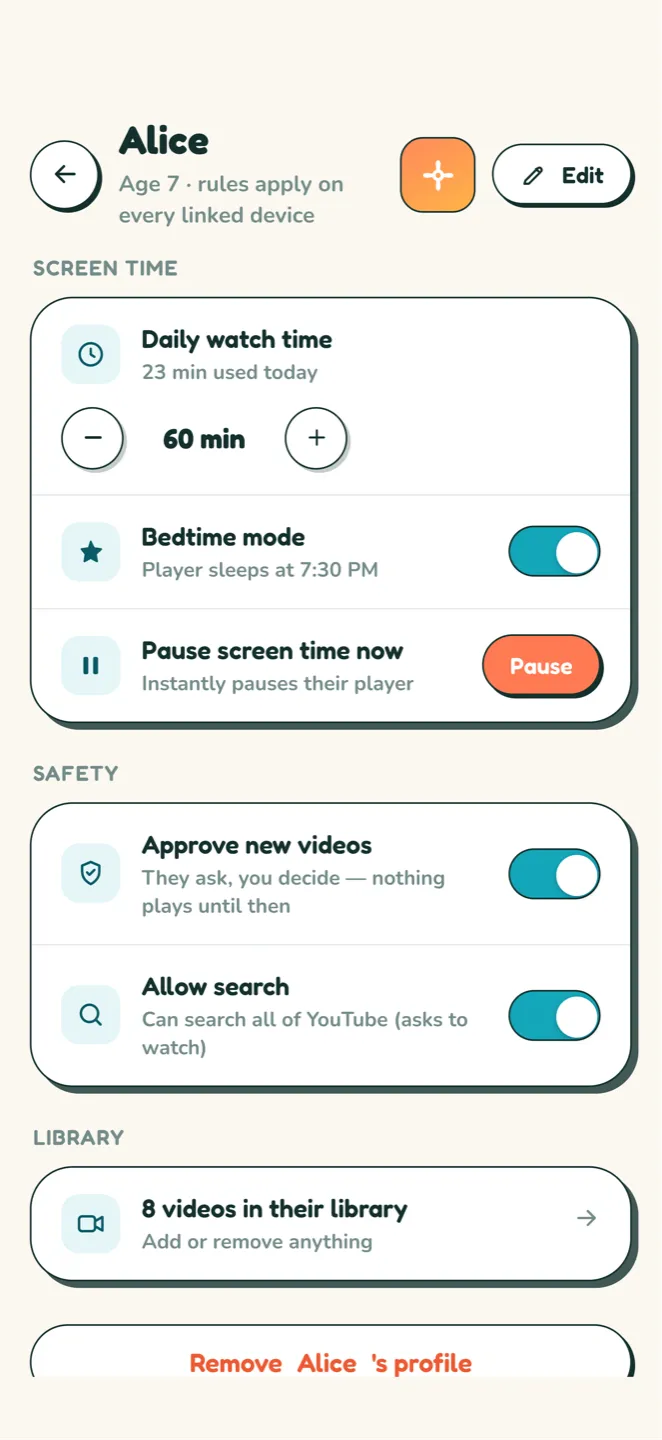
Give each child a daily watch time, a bedtime window and intermission breaks partway through. The app enforces all three, so the end of a session is not something your kid negotiates with you.

  • Daily watch time per child
  • A bedtime window that closes on its own
  • Intermission breaks partway through
  • Enforced by the app, on every device
See how the controls work
Profiles

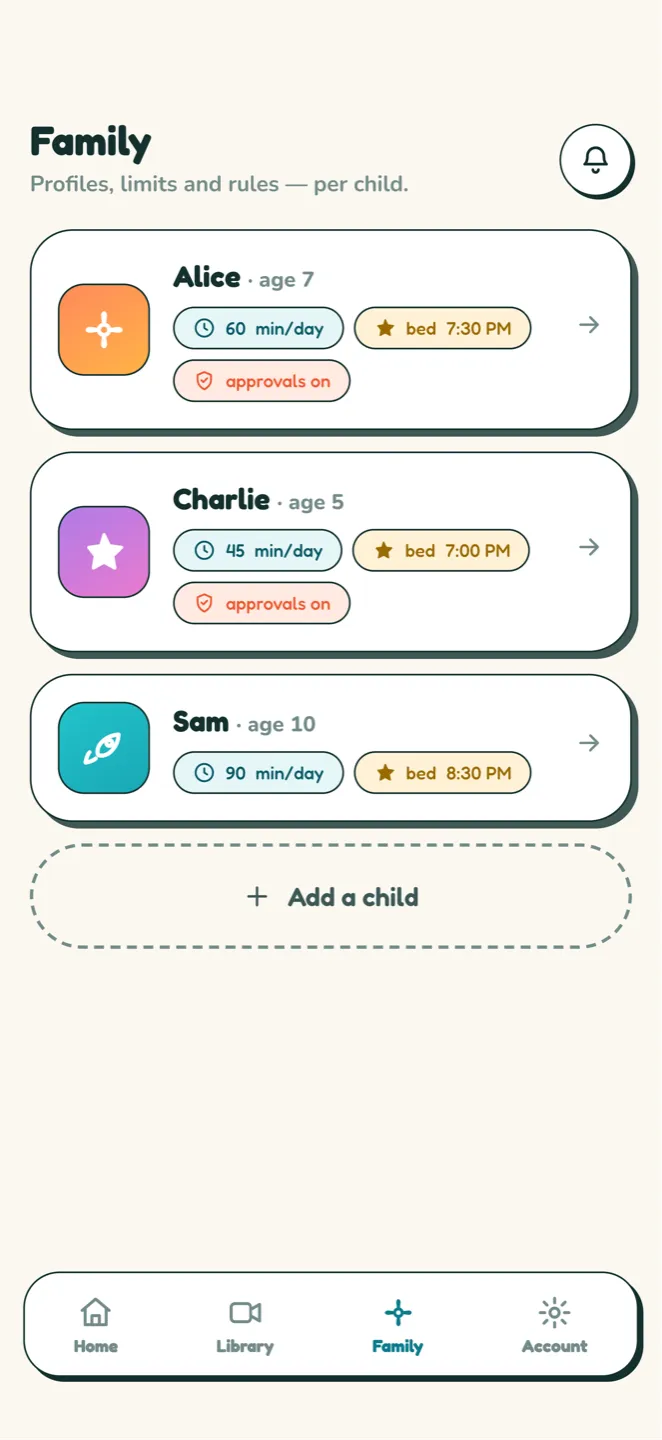
One Profile Per Kid, One Pause Button

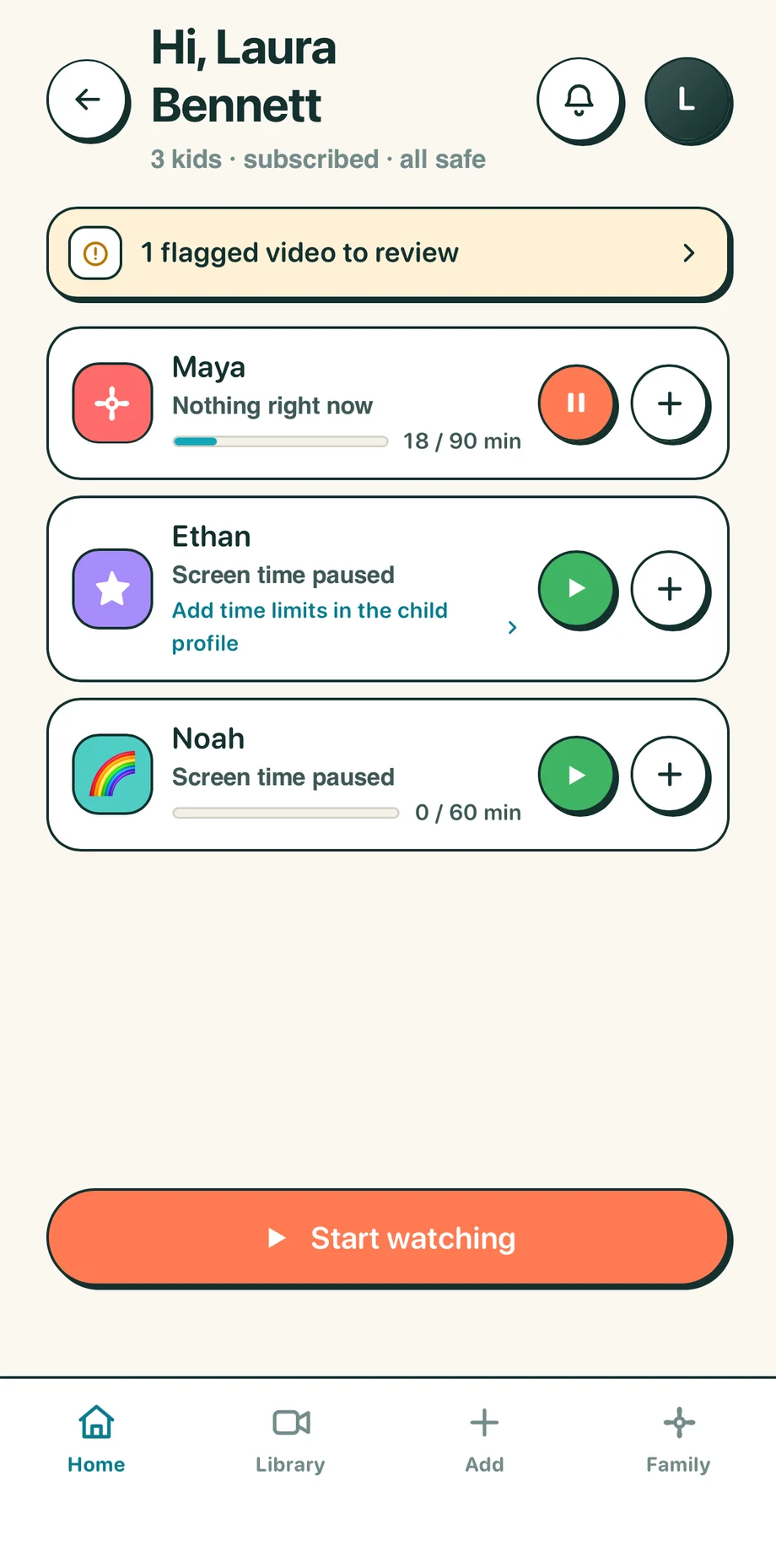
Each child gets their own profile, with their own library and their own limits. From your phone you can see what any of them is watching right now, and pause it while it is playing.

  • A separate profile for each child
  • See what each child is watching right now
  • Pause any child’s screen instantly
  • A PIN keeps them in their own profile
See profiles and PINs

From One Worried Parent to Another

Tanya GansFounder of Watchly Mother of Two

As a mom of two, I was exhausted from constantly monitoring what my kids watched on YouTube. Every time I looked away, the algorithm would serve up something inappropriate or just plain weird.

Tanya Gans · Founder of Watchly

I created Watchly out of pure necessity. My youngest is 8 now, and we've been using it daily for months. It's completely liberated our family.

Tanya Gans · Founder of Watchly

My kids still watch their favorite YouTubers—they're happy. But I no longer have that constant anxiety about what's coming next. No more hovering over their shoulders. No more screen-time battles.

Tanya Gans · Founder of Watchly

We went from daily YouTube drama to peaceful family evenings. That's why I built Watchly.

Tanya Gans · Founder of Watchly

The best part? The best part? My 8-year-old actually prefers Watchly now. He loves that he can find his videos easily without weird recommendations popping up.

Tanya Gans · Founder of Watchly

A note from the team

We built Watchly Player because we got tired of hovering over our kids' shoulders every time they opened YouTube. The algorithm kept serving up weird, inappropriate stuff, and we just wanted them to enjoy their favorite creators without constantly worrying.

Now the kids in our families actually prefer Watchly over regular YouTube. We went from daily screen-time battles to peaceful family evenings. If it worked for our families, it can work for yours.

— Watchly Player Staff · The team behind Watchly Player

One price, all features.

No hidden fees. Cancel anytime… but you won’t want to.

Unlimited Plan

$10/ month
  • Billed monthly
  • One family membership for the entire family
  • Every feature included
Start Free Trial
Save 26%

Unlimited Annual Plan

$7.42/ month
  • Billed annually at $89
  • One family membership for the entire family
  • Every feature included
Start Free Trial

All plans include

  • Up to 10 child profiles
  • Unlimited videos
  • All curated content libraries
  • Full watch history & analytics
  • Netflix-style Child interface
  • Priority support
  • No ads ever
  • Safe browsing mode
  • Parental controls
  • Custom playlists
  • Exactly like youtube, but safe
  • One family membership for the entire family
  • Cancel anytime… but you won’t want to

Every account starts with a 14-day free trial. Cancel during the trial and you pay nothing.

Questions? We've Got Answers

My kids love YouTube - will they still be happy?
Absolutely! Kids can still watch all their favorite YouTubers and channels. The only difference is that YOU choose which videos are available. Most kids actually prefer Watchly because they can find their videos easily without weird recommendations popping up. Our founder's 8-year-old son asks for Watchly instead of regular YouTube now.
How is this different from YouTube Kids?
YouTube Kids still uses algorithms and allows comments on many videos. It frequently shows inappropriate content that slips through filters. Watchly is completely different - it only shows videos YOU have personally approved. No algorithms, no comments, no ads, no surprises. You have 100% control.
Can they still watch their favorite channels?
Yes! You can import entire YouTube channels or playlists with one click. Your kids keep watching their favorites - you just approve them first. You can add new videos anytime, and kids can even request videos for you to review.
How quickly can I set this up?
Most parents are up and running in under 2 minutes. Just create an account, add your child's profile, import a few YouTube channels or playlists they love, and you're done. We've made it incredibly simple.
What devices does Watchly work on?
Watchly works on everything - phones, tablets, computers, and smart TVs. It's web-based, so there's nothing to download or install. If it has a browser, Watchly works on it.
Will my kids try to get around it?
Watchly is designed to be kid-friendly, not kid-hostile. Since they can still watch their favorite content, most kids don't try to bypass it. Plus, you can set up PIN protection and monitor what they're watching in real-time from your phone.
What if I don't have time to approve videos?
You can import entire channels or playlists at once - hundreds of videos in seconds. Plus, we have pre-approved educational libraries you can add instantly. Most parents spend 5-10 minutes per week managing content.
Can I set time limits?
Yes! You can set daily limits, session limits, or bedtime cutoffs. When time's up, Watchly stops automatically. No negotiations needed. Parents report far fewer tantrums at screen-time end.

Still Have Questions? We're here to help! Our support team is made up of parents who use Watchly every day.

Email Support Try It Free

Let Them Watch. Stop Worrying.

Your kids keep watching what they love. You get your peaceful evenings back.

Start Your 14-Day Free Trial

Setup in 2 minutes • 14-day free trial • Cancel anytime… but you won’t want to