The Parental Controls YouTube Never Built
You pick the videos. Watchly enforces the time limits. Your kid still gets the YouTube they love.
No algorithm. No ads. No ‘one more video’ fights.
14-day free trial • No charge until your trial ends • Cancel anytime
YouTube Wasn't Built for Parents
Three problems every parent knows. One fix for all three.
The algorithm picks what plays next — not you.
With Watchly: On Watchly there are no recommendations. Your child only sees videos you approved.
'One more video' has no off switch on YouTube.
With Watchly: Watchly timers actually end the session. A friendly screen explains the break — not you.
You can't see what they watched after the fact.
With Watchly: Watchly shows every video, live and in history, right on your phone.
What You Get
Screen Time That Actually Ends
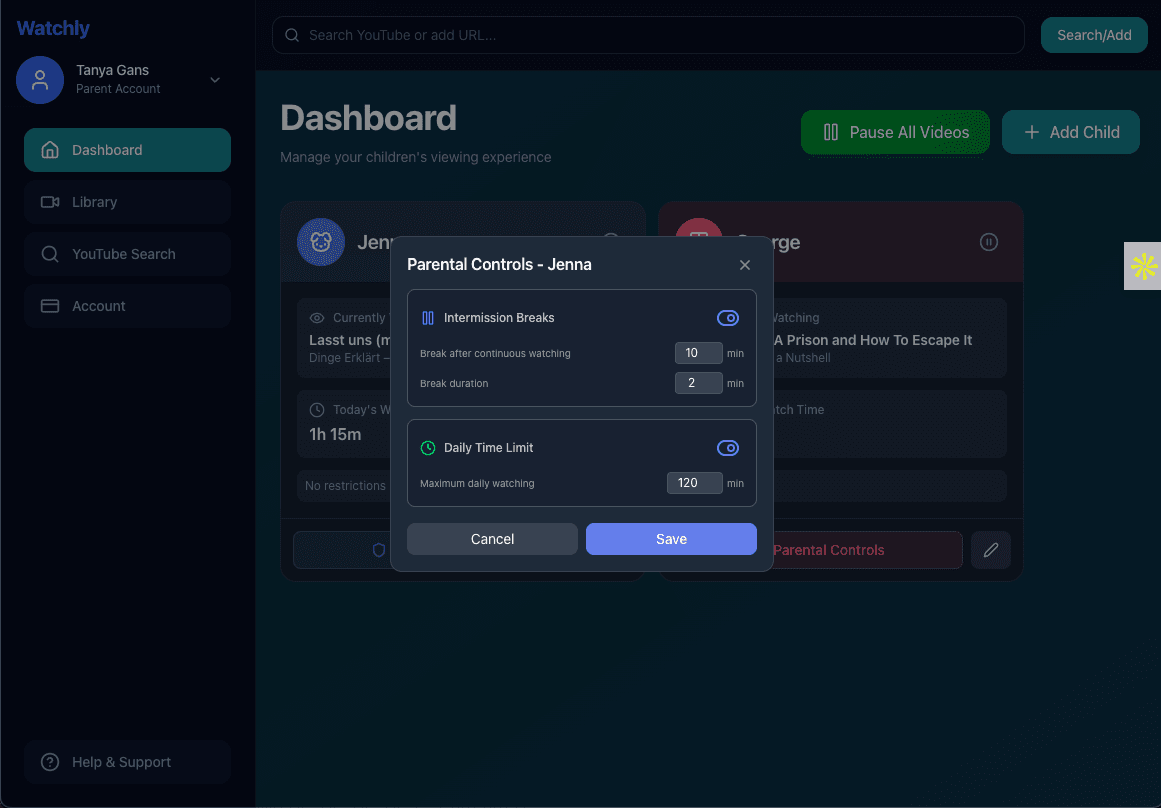
Set a daily limit per child. When the timer hits zero, the video stops and a friendly screen explains the break. You're not the bad guy — the app is.
- Daily limits per child (30 min, 1 hour, or custom)
- Automatic intermission breaks during long sessions
- Bedtime cutoffs that hold on school nights
- Visual countdowns kids understand
Only the Videos You Approve
Titles and thumbnails lie. So instead of filtering bad content, Watchly starts from zero: nothing plays unless you added it. Import the channels your kids already love in one click.
- Import whole YouTube channels or playlists at once
- No algorithm, no suggested videos, no autoplay surprises
- Different libraries and rules for each child
- Kids can request videos — you approve or decline
See Everything From Your Phone
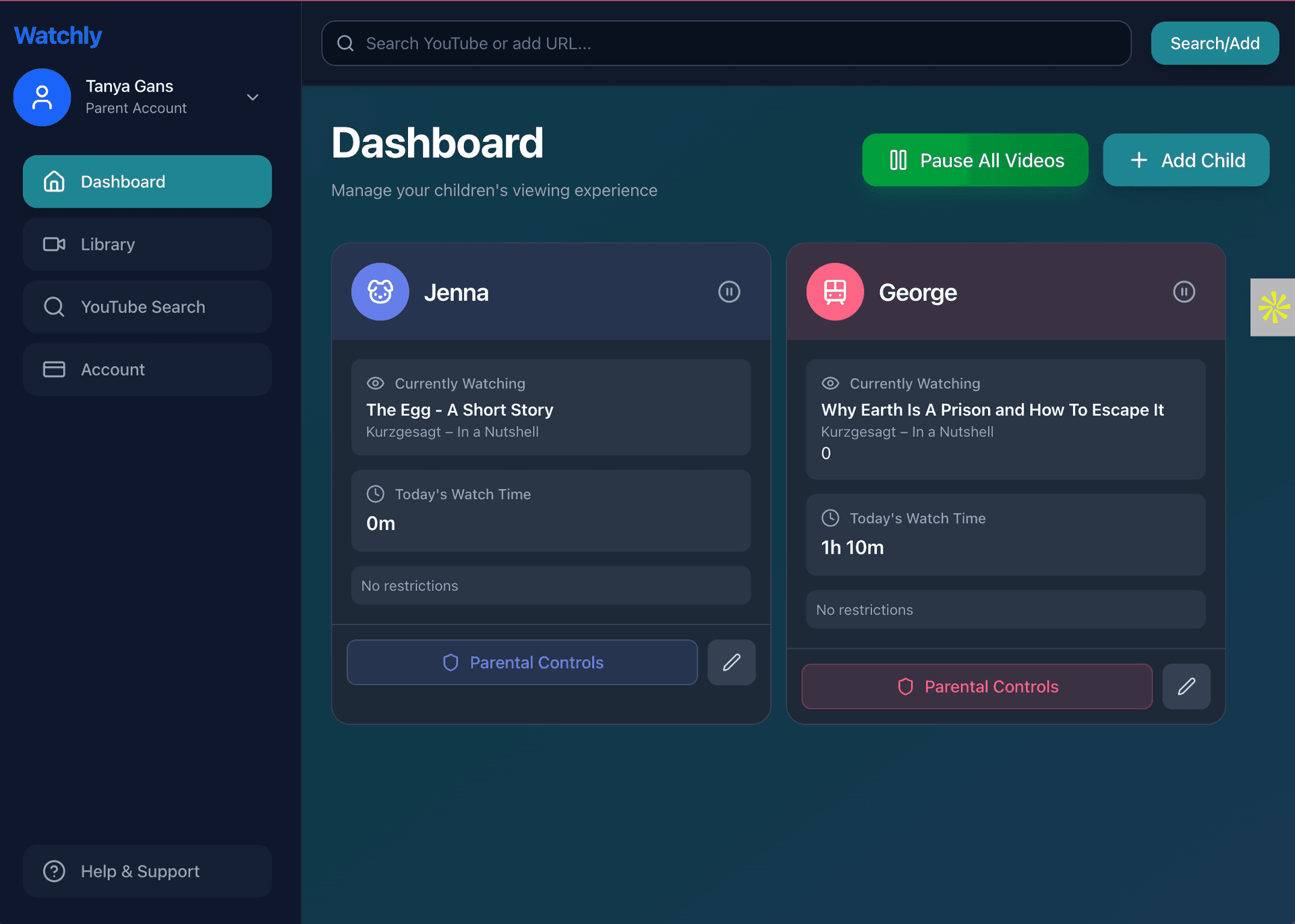
Check from anywhere what's playing at home. If they've watched long enough, pause it remotely — no negotiating through the bathroom door.
- Live view of what each child is watching right now
- Complete watch history, per child
- Pause any device remotely from your phone
- Weekly viewing summaries
Kids Actually Like It
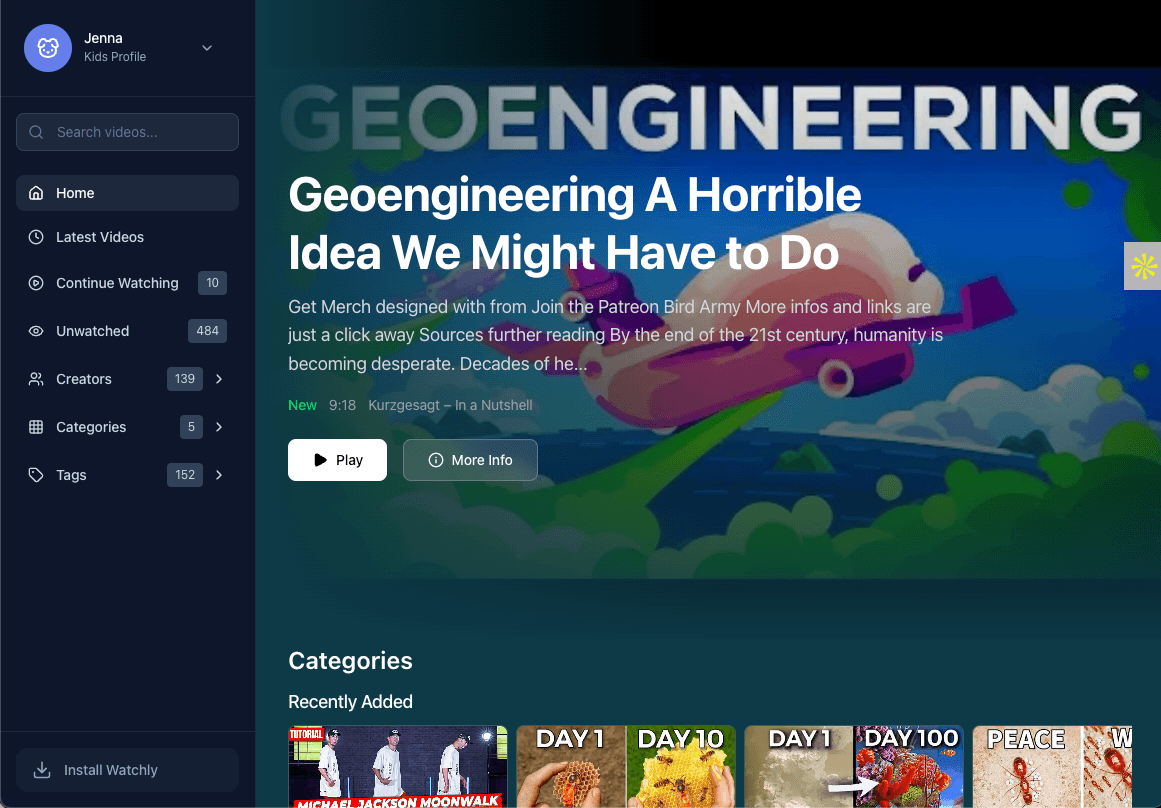
It looks like the YouTube they already know — minus the junk. Each kid gets their own profile with an emoji avatar and a PIN. The kids in our own families prefer it to regular YouTube.
- Netflix-style profiles with fun avatars
- Favorites are easy to find — no distractions in the way
- No ads interrupting every few minutes
- No comments, no live chat, no strangers
“The conversation shifts from ‘five more minutes’ to ‘what should I watch next.’”
That swap — from fighting the app to choosing inside it — is the whole product.
Keep the YouTube You Already Have
Watchly is a layer on top — nothing to migrate, nothing to cancel.
With free YouTube
- Ad-free viewing inside the Watchly player
- Time limits and bedtime cutoffs
- No algorithm or autoplay
- Full parent visibility and remote pause
With YouTube Premium
- Keep your Premium perks everywhere else
- Time limits and bedtime cutoffs
- No algorithm or autoplay
- Full parent visibility and remote pause
Set Up in Under Five Minutes
Create your account
Email and password. Under five minutes from here to the first safe video.
Add your kids
A profile per child — name, emoji avatar, PIN, and age-appropriate settings.
Pick their videos
Import the channels they already love, or start from our ready-made libraries.
Hand over the tablet
They watch what you approved. You cook dinner without craning your neck.
The Questions Parents Ask First
How is this different from YouTube Kids?
YouTube Kids still uses algorithms, and inappropriate videos slip through its filters. Watchly is the opposite approach: it only shows videos you have personally approved. No algorithm, no comments, no ads, no surprises.
Can my kid get back to regular YouTube from Watchly?
No. Videos play inside Watchly's own player. There are no links back to youtube.com, no suggested videos, and no comments. Your child stays inside the library you built.
Does it work with YouTube Premium?
Yes — Watchly works with free YouTube and with YouTube Premium. Think of it as the parental control layer YouTube never built, running alongside whatever YouTube you already have.
Will my kids be upset about switching?
Most kids don't mind, because they keep their favorite channels — you just approve them first. Many kids prefer it: their videos are easy to find, and nothing weird pops up next.
How much does it cost?
Plans start at $10/month and cover your whole family — every kid, every device. Start with a 14-day free trial; you won't be charged until the trial ends, and you can cancel anytime.
How long does setup take?
Under five minutes. Create an account, add a child profile, and import a few channels they already love. You can fine-tune everything later.
Hand Over the Tablet Without the Worry
Your kids keep watching what they love. You get your peaceful evenings back.
Start Free Trial